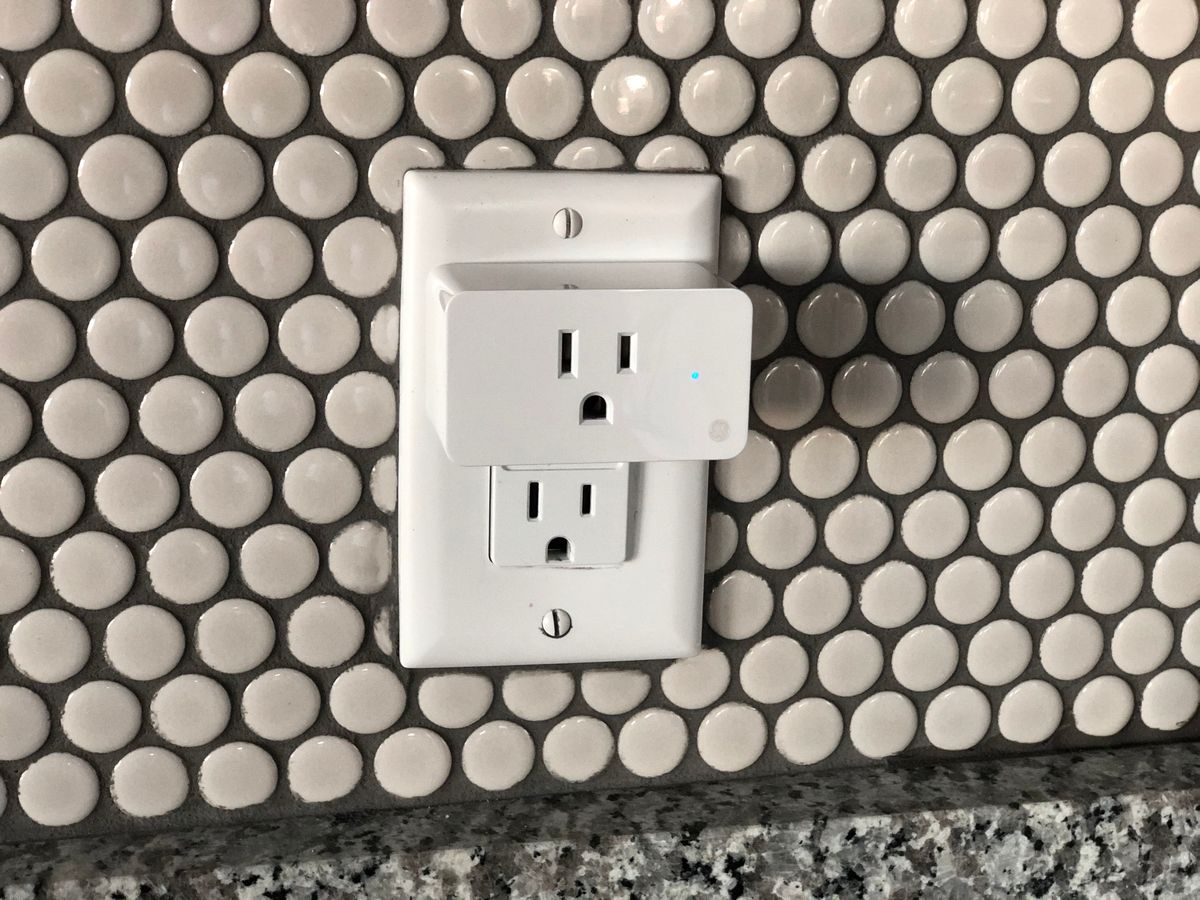
Finding the best budget smart plug doesn’t mean settling for a flaky product. Several of the cheapest smart plugs on Amazon come from the same brands that make premium models, just without the extra sensors and app features you may never use.
We compared five affordable Wi-Fi smart plugs that handle the basics well: reliable Alexa and Google Home support, straightforward scheduling, and enough build quality to survive years in a wall outlet.
If you just want to turn a lamp or fan on and off with your voice or a schedule, you don’t need to spend much to get there. The plugs below prove it, and none of them ask you to pay for energy monitoring, premium materials, or a companion ecosystem you’ll never touch.
A budget smart plug is also one of the easiest ways to try home automation for the first time. There’s no hub to install, no wiring to touch, and no risk if it turns out smart home gadgets aren’t for you, you’re only out the cost of a single plug.
How We Picked
We compared official specifications, safety certifications, and app features across each manufacturer’s listed details, then weighed those against recurring patterns in verified Amazon customer reviews, looking for repeated complaints about dropped connections, app reliability, or build quality. We also checked which brands have a long enough track record to trust with firmware updates down the road. Our picks reflect that research, not paid placement.
Best Budget Smart Plugs, At a Glance
Here’s how the five plugs compare on what each is best suited for and how they landed in our ranking.
| Smart Plug | Price | Best For | Our Rating |
|---|---|---|---|
| TP-Link Tapo P100 | Check price | Best overall budget pick | 4.6 / 5 |
| Kasa HS103P4 (4-Pack) | Check price | Best for multiple rooms | 4.7 / 5 |
| Amazon Smart Plug | Check price | Best for Alexa households | 4.7 / 5 |
| Wyze Plug (2-Pack) | Check price | Best with a Wyze ecosystem | 4.5 / 5 |
| Tapo P105 Mini (4-Pack) | Check price | Best ultra-compact pick | 4.6 / 5 |
Prices swing often, especially around Prime Day and the holidays, so treat these as a snapshot. Multipacks almost always bring the per-plug cost down further.
1. TP-Link Tapo P100: Best Overall Budget Pick
The Tapo P100 is the plug we point most people to first. It’s one of the cheapest smart plugs that still comes from an established brand with a track record of reliable Wi-Fi connections.
A No-Frills Plug That Just Works
Setup happens through the Tapo app in a couple of minutes, and once it’s connected, both Alexa and Google Assistant pick it up without extra configuration. Owners consistently describe it as “set it and forget it,” which is exactly what you want from a plug controlling a lamp or fan.
It skips energy monitoring and any premium materials, but for straightforward on/off control with voice commands, scheduling, and an Away Mode that randomizes activity while you’re traveling, it covers everything most households actually use.
Why It Beats Other Rock-Bottom Options
Plenty of unbranded plugs undercut the Tapo P100 on price, but TP-Link’s long history in this category means ongoing app support and firmware updates most no-name competitors can’t match. That track record is a big part of why it shows up so often on best-of lists year after year, it’s cheap without feeling disposable.
TP-Link Tapo P100 Mini Smart Plug
- Compact mini design that won't block the second outlet on a wall plate
- Works with Alexa and Google Assistant without a separate hub
- Scheduling, timers, and an Away Mode built into the free Tapo app
- One of the cheapest reliable smart plugs sold on Amazon
As an Amazon Associate, HomeTechVerdict earns from qualifying purchases. Tap through for the current live price on Amazon.
2. Kasa Smart Plug HS103P4 (4-Pack): Best for Multiple Rooms
If you’re outfitting more than one room, the Kasa HS103P4 four-pack is hard to beat on a per-plug basis. TP-Link’s Kasa line has one of the longest track records in this category, and it shows in how consistently these plugs stay connected.
Built for Whole-Home Coverage
Each plug supports a full 15-amp load, giving you more headroom than some rivals if you’re running a space heater or window air conditioner. UL certification and remote control through the Kasa app round out a plug that reviewers repeatedly praise for just staying online.
Because you’re buying four at once, this is often the most economical way to automate an entire apartment or a handful of rooms in a house without juggling different brands or apps.
Consistency Across Every Room
Standardizing on one plug across a home also simplifies routines. An Alexa routine that turns off “all plugs” before bed works more predictably when every plug is the same model responding to the same app, rather than a mismatched collection of brands with different quirks.
Kasa Smart Plug HS103P4 (4-Pack)
- 15-amp rating, enough headroom for small heaters or window AC units
- UL certified with remote control through the Kasa app
- Works with Alexa, Google Home, and IFTTT, no hub required
- Per-plug cost drops sharply when bought as a 4-pack for multiple rooms
As an Amazon Associate, HomeTechVerdict earns from qualifying purchases. Tap through for the current live price on Amazon.
3. Amazon Smart Plug: Best for Alexa Households
If your smart home already revolves around Alexa, the Amazon Smart Plug removes almost every step between unboxing and using it. Because Amazon builds it, it’s pre-linked to your Alexa account in many cases, and there’s no separate app to install.
The Simplest Setup of the Bunch
Owners frequently mention that it’s discovered by Alexa automatically once plugged in, and its “Certified for Humans” badge means Amazon has specifically verified the voice experience end-to-end. Basic schedules and routines cover most use cases without ever opening a companion app.
The tradeoff is that it’s Alexa-only, with no Google Home support and no energy monitoring. For a gift or for someone new to smart home gear who just wants “it works with Alexa” as the whole spec sheet, it’s the easiest path in.
Backed by Amazon’s Own Support
Because Amazon builds and sells it directly, it also benefits from the same customer support and return process as any other Amazon device, something worth factoring in if you’d rather deal with one company than a third-party manufacturer if anything goes wrong.
Amazon Smart Plug
- Pre-linked to your Alexa account, often works before you open an app
- No third-party app needed to get started
- Simple schedules, routines, and voice control out of the box
- Certified for Humans badge means Amazon has verified the Alexa experience
As an Amazon Associate, HomeTechVerdict earns from qualifying purchases. Tap through for the current live price on Amazon.
4. Wyze Plug (2-Pack): Best With a Wyze Ecosystem
The Wyze Plug earns its spot for anyone who already owns Wyze cameras, bulbs, or sensors. It lives in the same app as the rest of the Wyze lineup, so automations that combine a camera, a light, and a plug are simple to set up in one place.
A Budget Plug That Grows With Your Smart Home
It supports Alexa, Google Assistant, and IFTTT without a hub, and its Vacation Mode randomizes on and off times to make an empty home look occupied. Reviewers generally describe the app as intuitive, especially if they’re already comfortable with Wyze’s camera app.
It’s not the cheapest plug here, but the ecosystem tie-in is the reason to pick it over a plug from an unrelated brand if you’re already invested in Wyze hardware.
One App for Cameras, Sensors, and Plugs
The real advantage shows up when you want a camera to trigger a plug, say, turning on a porch light when a Wyze Cam detects motion. That kind of cross-device automation is far simpler when everything lives in the same app instead of stitching two brands together through a third-party service.
Wyze Plug (2-Pack)
- Works with Alexa, Google Assistant, and IFTTT, no hub required
- Pairs with the wider Wyze app ecosystem of cameras, sensors, and bulbs
- Vacation Mode randomizes on/off times to simulate someone being home
- Compact housing that keeps the adjacent outlet accessible
As an Amazon Associate, HomeTechVerdict earns from qualifying purchases. Tap through for the current live price on Amazon.
5. TP-Link Tapo P105 Mini (4-Pack): Best Ultra-Compact Pick
The Tapo P105 shrinks the smart plug down about as far as it can go. If you’ve ever had a bulky plug block the second outlet on a wall plate, this is the fix.
Small Enough to Disappear
It’s barely wider than the outlet itself, so both plugs on a standard wall plate stay usable. Bluetooth-assisted onboarding speeds up the initial pairing process versus Wi-Fi-only competitors, and device sharing lets other household members add it to their own phone without sharing a single login.
It still handles a full 15-amp load and works with Alexa and Google Assistant, so you’re not giving up capability for the smaller footprint, just a bit of visual bulk.
The Right Pick for Tight Outlets
If your outlets sit behind furniture or in a crowded power strip situation, this is the plug that fits where bulkier competitors won’t. It’s an easy recommendation for apartments with older two-outlet wall plates spaced closer together than modern construction.
TP-Link Tapo P105 Mini Smart Plug (4-Pack)
- One of the smallest smart plugs available, barely wider than the outlet itself
- 15-amp support for small appliances and space heaters
- Device sharing lets multiple household members control it from their own phone
- Bluetooth-assisted setup speeds up onboarding versus Wi-Fi-only rivals
As an Amazon Associate, HomeTechVerdict earns from qualifying purchases. Tap through for the current live price on Amazon.
Pros
- You can automate lamps, fans, and small appliances for close to the price of a fast-food combo meal
- Multipacks bring the per-plug cost down even further if you want to cover a whole apartment
- Most budget plugs still support scheduling, timers, and voice control through Alexa or Google Home
- No hub or subscription required, they connect straight to your existing Wi-Fi
Cons
- The cheapest plugs usually skip energy monitoring entirely
- Budget plugs rely on the manufacturer's cloud, so voice commands can lag or fail if your internet drops
- Most only support 2.4GHz Wi-Fi, which can be a hassle on newer mesh routers that default to 5GHz
How to Choose a Budget Smart Plug
A few details separate a budget plug you’ll be happy with from one you’ll end up replacing.
Stick with a known brand. TP-Link, Amazon, and Wyze all have years of firmware updates and established manufacturing standards behind them. An unfamiliar off-brand plug might save you a dollar or two, but it’s rarely worth the reliability risk.
Check for UL or ETL certification. This confirms the plug passed independent electrical safety testing, something worth verifying in the listing regardless of price.
Decide if you need energy monitoring. Almost every plug at the true budget end of the market skips it. If tracking power usage matters to you, you’ll likely need to step up to a model like the Kasa EP25 or Wemo Mini instead.
Buy multipacks when you can. The per-plug price drops noticeably in 4-packs, and most households end up wanting more than one plug anyway.
Confirm your router supports 2.4GHz. Budget smart plugs almost universally require a 2.4GHz Wi-Fi connection. If your router only broadcasts a combined or 5GHz-only network, check your router settings before you buy.
Think about outlet clearance. If a plug will sit above a nightstand, behind a couch, or in a crowded power strip area, a compact model like the Tapo P105 avoids blocking the second outlet on the plate.
Our Verdict
For most people, the TP-Link Tapo P100 is the best budget smart plug you can buy right now. It nails the basics, reliable voice control, simple scheduling, and quick setup, without asking you to pay for features you won’t use.
If you’re outfitting several rooms, the Kasa HS103P4 4-pack is the more economical route. Alexa households that want the absolute simplest setup should look at the Amazon Smart Plug, and anyone already using Wyze hardware will get the most value from the Wyze Plug. If outlet space is tight, the Tapo P105 Mini solves that problem directly.
Whichever you choose, a budget smart plug is one of the cheapest, lowest-risk ways to start automating your home. Check the latest price on Amazon before you buy, these plugs go on sale often. Also check out our guides to the smart lock for your front door and smart thermostat that works without a C wire.